Temporary Elements
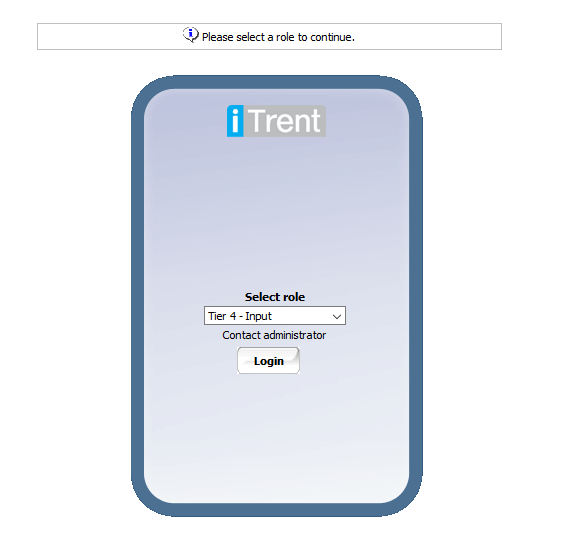
Logging in to iTrent
Log in to iTrent and select the Tier 4 - Input role.
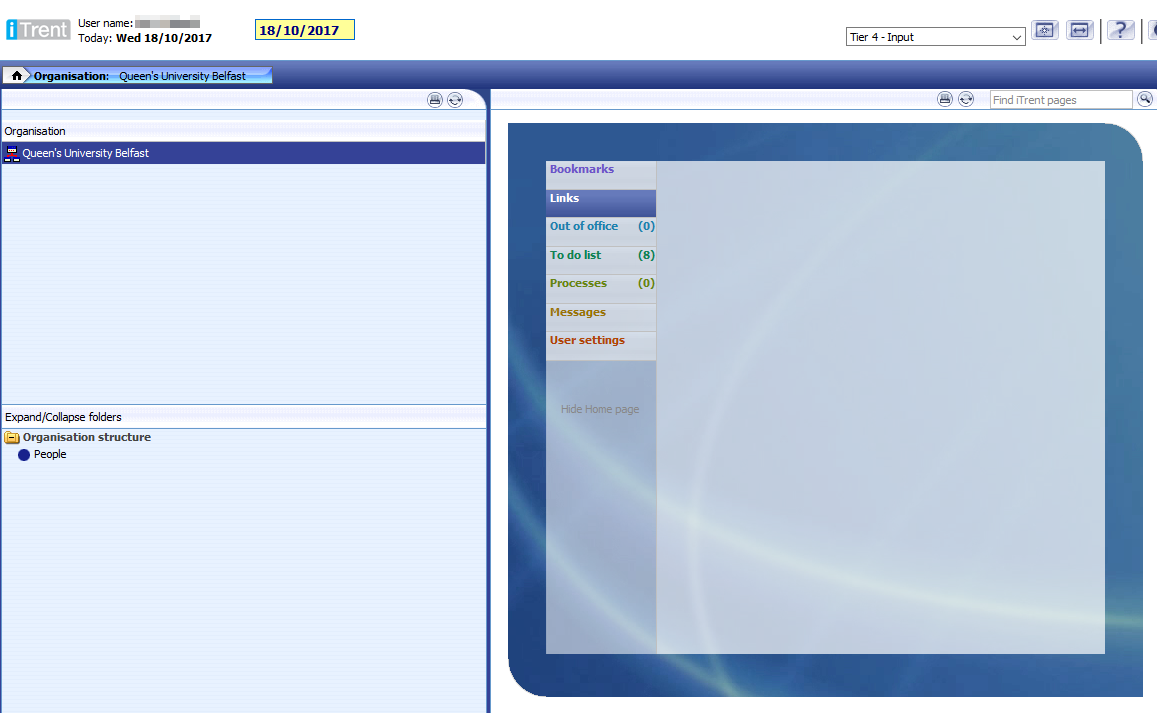
iTrent Interface
The iTrent interface is made up of 3 main panes:
- Object pane (top left) - typically the search area
- Action pane (bottom left) - typically navigation options
- Display pane (right) - typically an area to view and save data
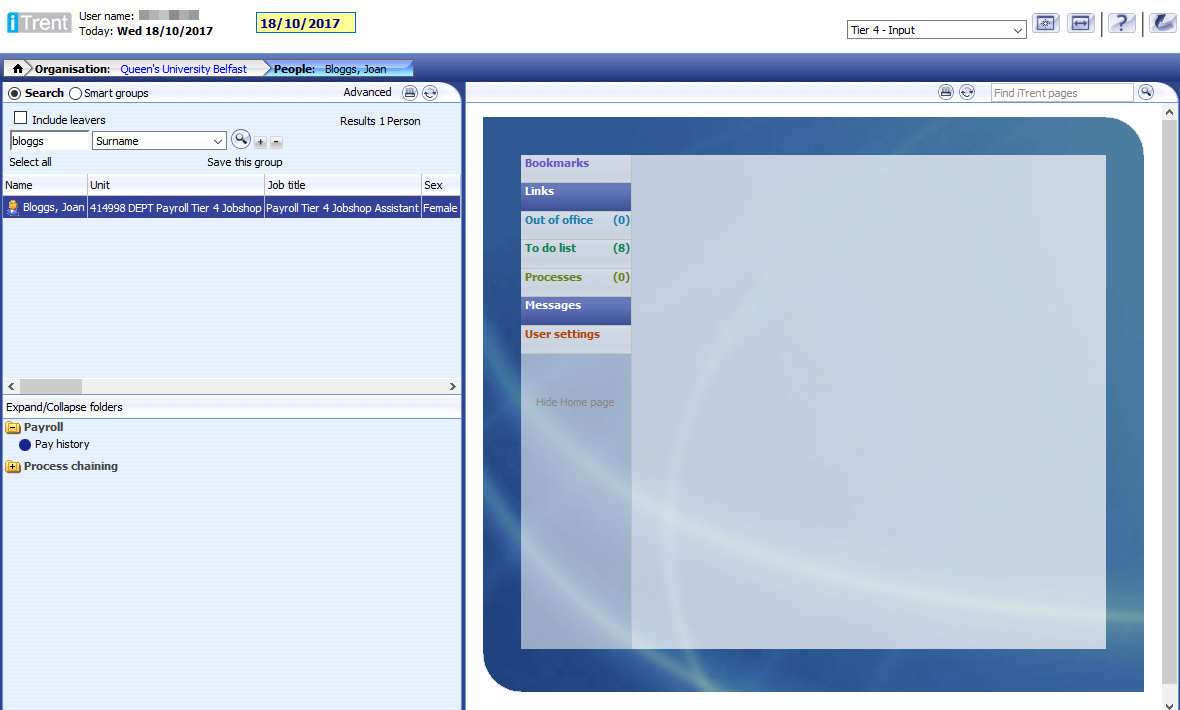
Search for Person
Click People in the Action pane to open the search area.
Use the Object pane to search for the person you wish to enter an element against. Select the person from the search results and click Pay History in the Action pane.
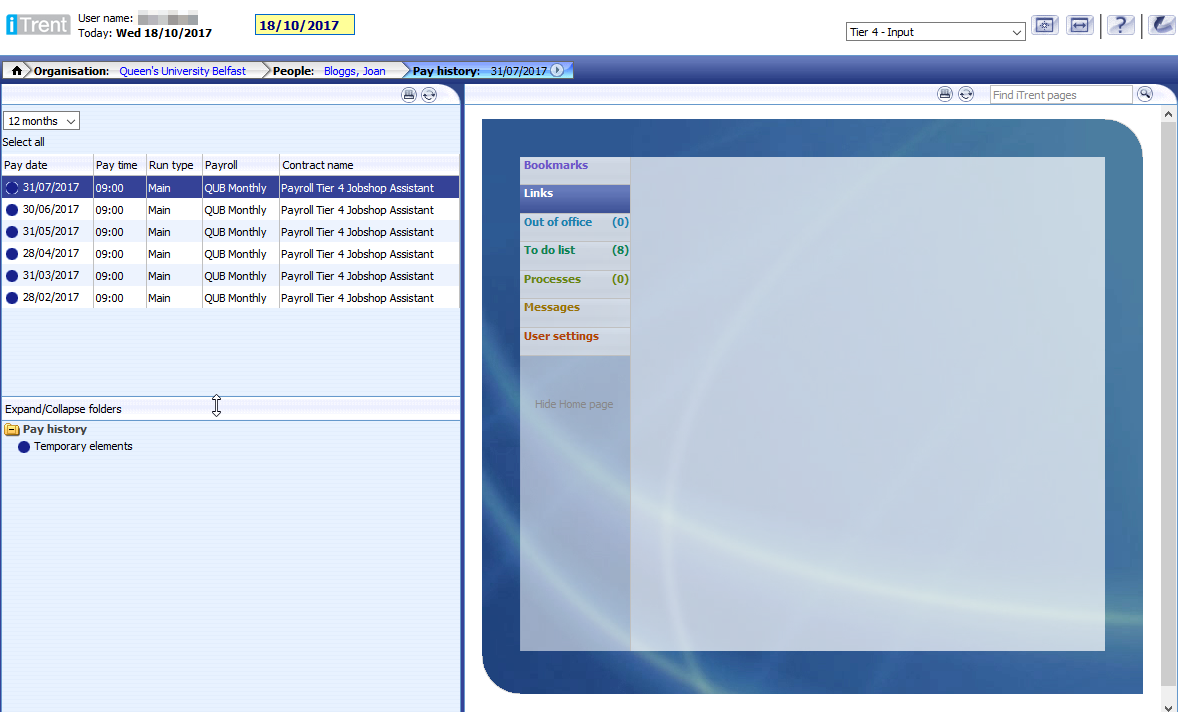
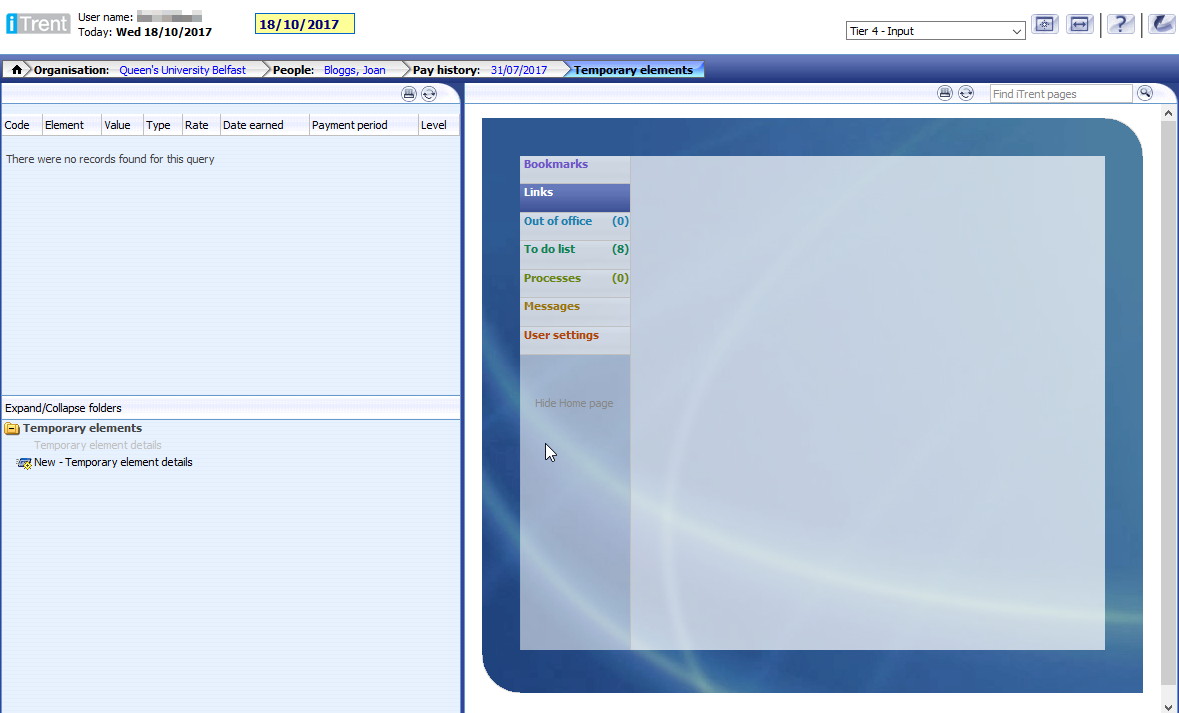
Ensure the most recent Pay Date is selected in the Object pane and select Temporary elements from the Action pane.
New Temporary Elements
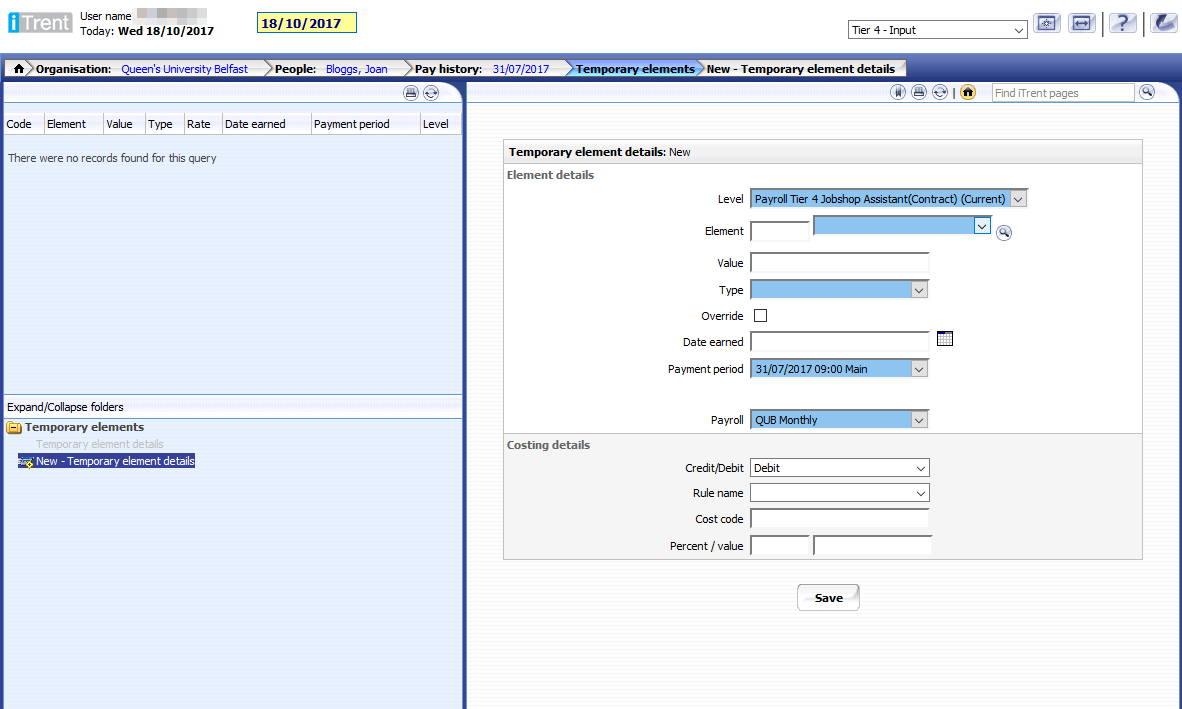
Select New - Temporary element details from the Action pane.
The following form will need to be completed for each payment the person recieves:
- The form is restricted to allow input for In Lieu Hol Pay and Tier 4 Jobshop elements
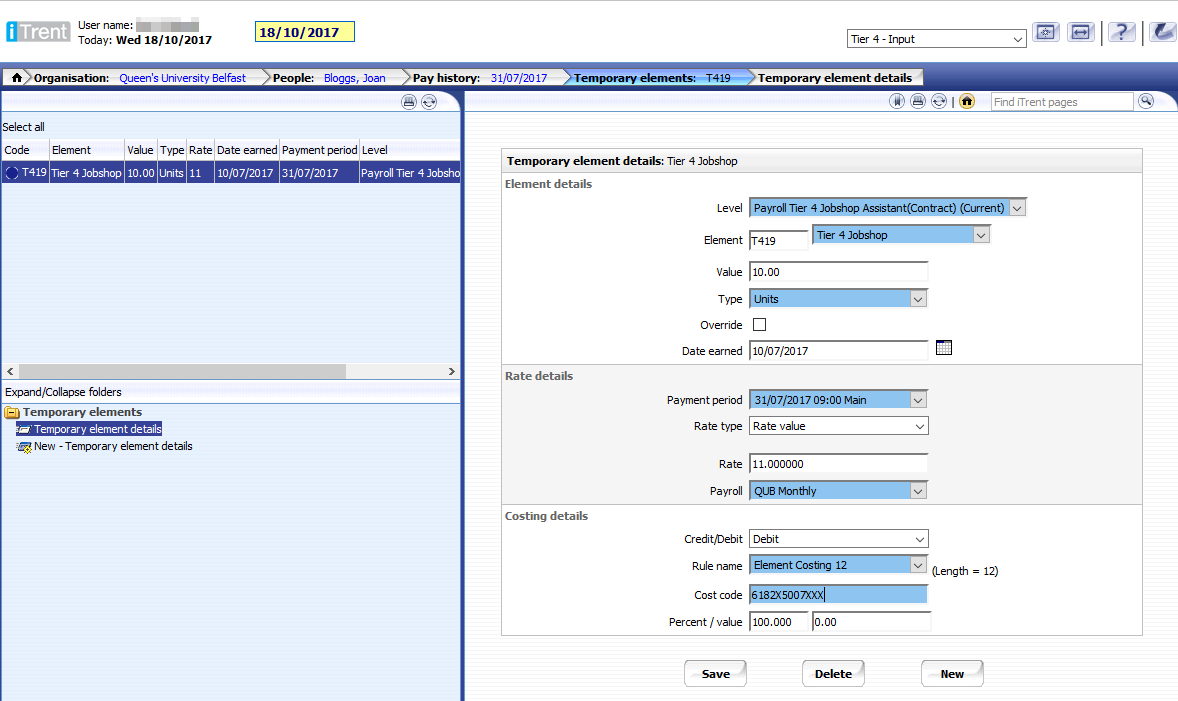
Tier 4 Jobshop
- Select the Tier 4 Jobshop element from the Element list
- Value - number of hours worked
- Type - Units
- Override - No
- Date earned - week the person is getting paid for
- Rate type - rate value
- Rate - hourly pay – do not include £
- Costing - enter the costing details that the element is to be charged to
- Rule name – Positions Rule 12
Example of saved Tier 4 Jobshop element.
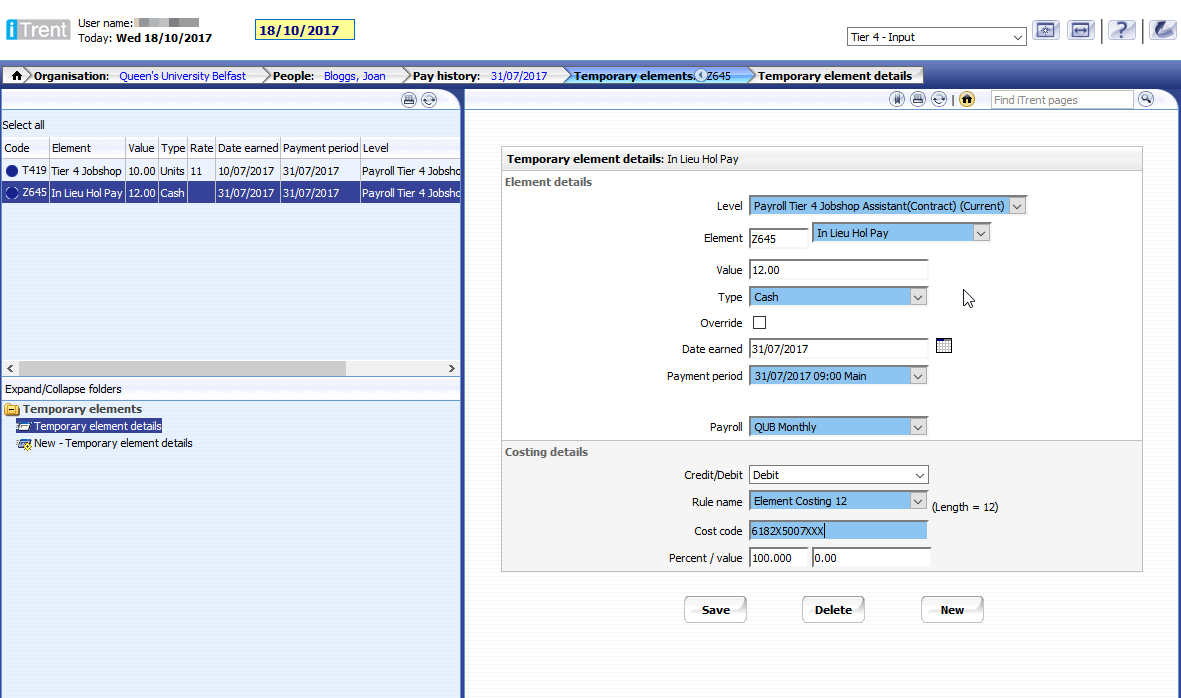
In Lieu Hol Pay
- Select the In Lieu Hol Pay element from the Element list
- Value - total payment for holiday pay
- Type - Cash
- Override - No
- Date earned - leave blank
- Costing - enter the costing details that the element is to be charged to
Example of saved In Lieu Hol Pay element.
Reports
Tier 4 Payments
This report shows the Temporary Elements that have been added for staff in the "Payroll Tier 4 Jobshop" department. When the report is opened, select the Pay Month and click View Report.
To run the report for a specific person, enter the person's staff number in the box provided. This is useful if you want to check how much pay the person is to receive (or how much holiday they are expected to receive).

The report will show some position and person information along with the Temporary Element information grouped on costcode, rate of pay and element. The weekly hours are pivoted in a single line based on this grouping and totals for hours, pay and expected holiday pay are provided.
